Windows 11 SiteCache Startup Failure
Issue
After deploying Meridian to a Windows 11 build, the SiteCache registry key is not present. This causes the SiteCache client to fail during startup.
Resolution Steps
- Access Local Workspace Options
From the System Tray, right-click on Meridian Application Integration, then select:
Local Workspace > Options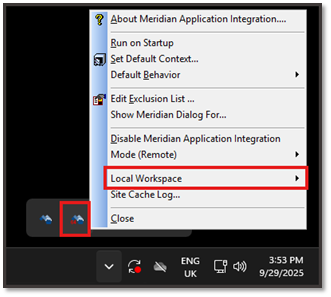
- Configure Site Cache URL
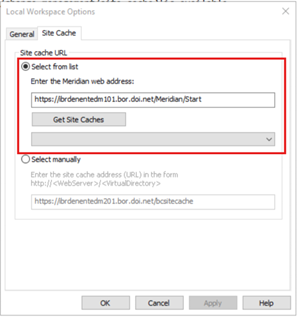
In the Local Workspace Options dialog:- Select the Site Cache tab.
- In the Site cache URL section, under the “Select from list” section, enter either of the two Meridian Web Addresses below and click the “Get Site Caches” button.
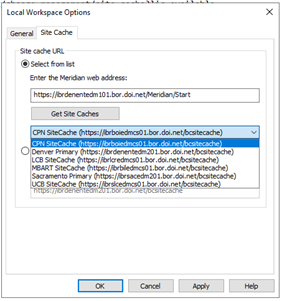
- The following Site Cache URL are available based on your region when you click on the dropdown button.
- Select one of the Site Cache URL based on your region, from the dropdown options.
- Finalize Configuration
- Click OK to save changes.
- Close both 64-bit and 32-bit instances of Application Integration.
- Restart both versions from the Windows Start Menu.